Try a SoundBuddy sound pack before enabling sounds across apps
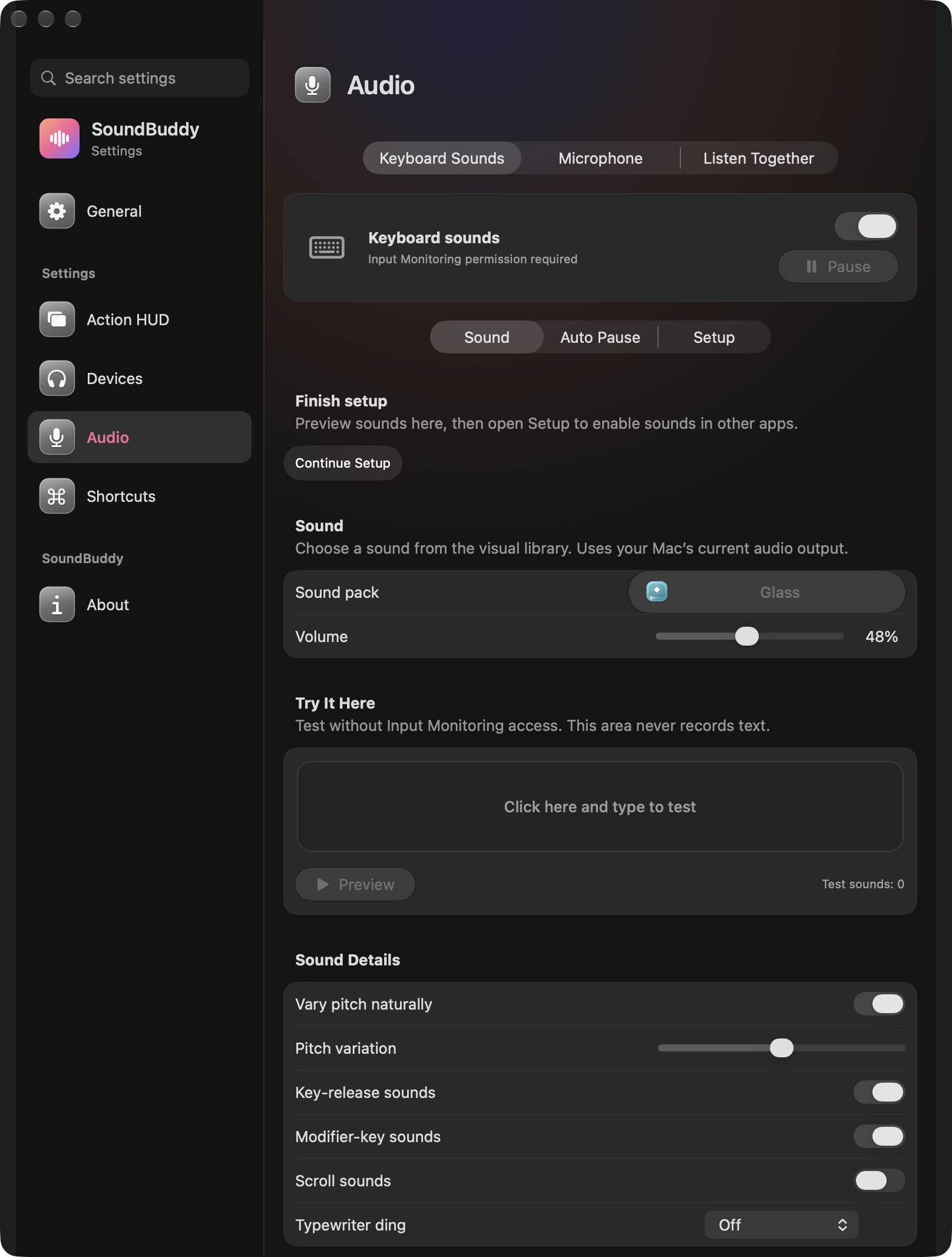
Use SoundBuddy's local preview and test area to compare a pack before deciding whether you want global typing sounds. The local workflow is useful when you want to hear the character of a sound while leaving Input Monitoring access unchanged.
SoundBuddy is our product. Its native keyboard settings separate local testing from global setup. This article focuses on choosing a pack, while the existing Input Monitoring guide explains cross-app setup.
Start with a controlled comparison
Open Settings > Audio > Keyboard Sounds and inspect the Sound controls. Choose a pack from the library, keep your audio output fixed and start at a comfortable low volume. Use Preview or the Try It Here area deliberately. A local test needs the app to be running and can still be affected by protective or optional pause conditions.
The screenshot shows the selected Glass pack, a volume control and Try It Here. Its test counter is zero and global permission is required. It demonstrates those controls, not that a sound was played for this article.
Compare the same small task
Use one ordinary phrase in the local pad for each candidate. Keep your headphones or speakers and system volume the same. Changing the pack and output device together makes it harder to tell what caused a difference.
| Comparison field | Pack A | Pack B |
|---|---|---|
| Name | Record the displayed title | Record the displayed title |
| App volume | Keep a known starting level | Use the same starting level |
| Ordinary keys | Comfortable, distracting or unclear? | Comfortable, distracting or unclear? |
| Space and Return | Is their feedback useful? | Is their feedback useful? |
| Choice for this task | Keep, compare again or stop | Keep, compare again or stop |
This is a subjective worksheet. A software sound does not change the physical switches in your keyboard. Judge whether you like the feedback on your current output, rather than expecting a recording to reproduce a particular mechanical board exactly.
Decide about global setup afterwards
Apple lets you review apps' input-device monitoring access in Input Monitoring settings. Make that decision separately from choosing a pack. Local audition does not establish that cross-app monitoring is enabled or working.
If a preview stays silent, inspect the app's status, current output and volume before granting permissions. Permission is not a universal fix for local playback. Stop comparing if you are in a call or a protected input context and return at a suitable time.
A public MacRumors discussion includes a reader asking to hear another keyboard app's sounds before buying. That is context for a useful evaluation workflow, not a SoundBuddy testimonial or proof of demand.
Next step: compare two packs locally, keep one, then decide whether cross-app sounds are useful enough to configure.