Write a Bluetooth support report someone can reproduce
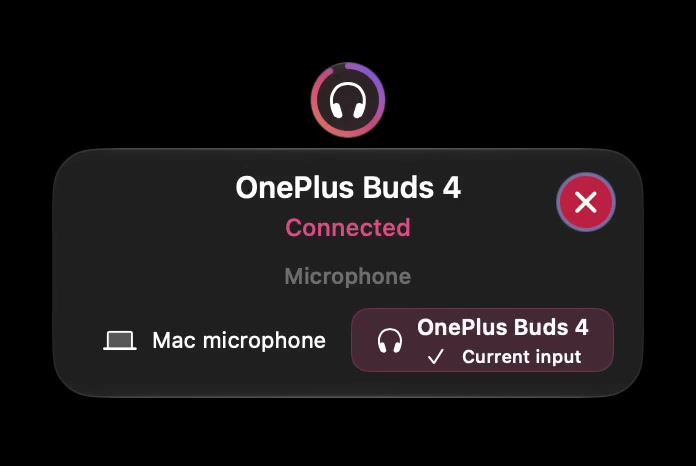
A useful report separates what happened from what you expected. “Bluetooth is broken” leaves too many possibilities open. The device might be remembered but disconnected, connected with another output selected, or working for audio without exposing battery information.
Use the template below to describe one problem and one reproducible sequence. You do not need to share a licence key, full system dump or private conversation to make the report useful.
Copy this report template
- Goal: what I was trying to do.
- Expected: the one result I expected.
- Observed: the exact label, status or behaviour I saw.
- Mac: model or chip family, plus macOS version.
- Accessory: model and firmware if known.
- SoundBuddy: installed version and build from About.
- Other app: name and version if it has its own audio selection.
- Starting state: paired, connected, selected output and selected input.
- Steps: the smallest sequence that produces the difference.
- Frequency: once, sometimes or every attempt I observed.
- Comparison: the result of the same check in macOS or the relevant app.
Use “unknown” when you cannot verify a field. A report with one unknown is more useful than an invented explanation.
Make the sequence reproducible
Write steps as actions another person can perform. “Open Audio > Microphone; observe Mac microphone as current input; reconnect this accessory outside a call; observe the new label” is a sequence. “It randomly forgets everything” is an interpretation that needs supporting observations.
Change one variable during the test. Record whether you reopened the app, changed permissions, connected a dock or moved the accessory to another source device. Avoid repeating disruptive connection changes during work just to improve a bug report.
Attach only the relevant screen
Inspect the screenshot before sharing. Exclude purchase emails, licence keys, serial numbers, Bluetooth addresses, private device names and unrelated work. Do not post the full contents of About recovery panels or a system report publicly.
SoundBuddy's About view identifies the installed app version. Apple explains how to identify an Apple silicon Mac; that can help describe the platform without sharing its serial number.
Separate the symptom from a proposed cause
| Observation | Useful follow-up |
|---|---|
| Paired but disconnected | Normal connection steps and exact device state |
| Connected, wrong microphone | Compare system and app input selectors |
| Audio works, no percentage | Record battery availability separately |
| Local keyboard test works, global typing is silent | Record setup and Input Monitoring status |
The device-state guide explains the first distinction. The keyboard setup guide covers preview and global-permission differences.
SoundBuddy is our product. A report helps us investigate; sending it does not guarantee that a hardware-dependent limitation can be changed.
Next step: fill the template with one observed sequence and share only the minimum relevant screenshot through the support channel you choose.