Headphone battery percentage does not tell you how long a call will last
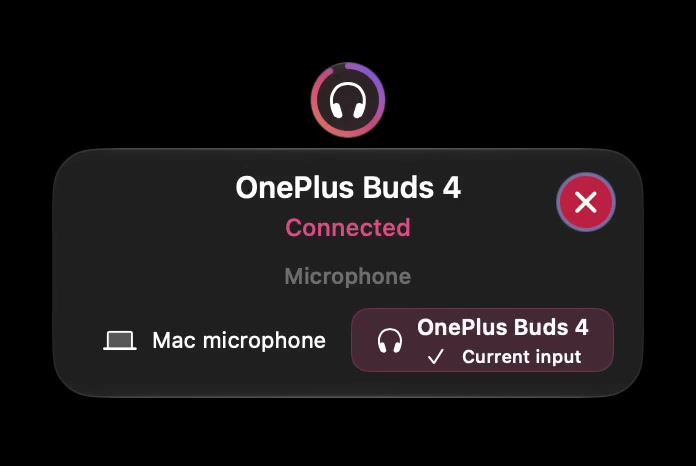
A charge percentage and a remaining-time estimate answer different questions. If your Mac shows a battery value, treat it as charge information. Do not turn it into a promise that your headset will last through a particular meeting.
SoundBuddy is our product. Battery availability depends on the device and the information macOS exposes. This guide does not introduce a SoundBuddy runtime forecast. The actual app image has no battery percentage, so it cannot substantiate either a charge reading or a remaining-time estimate.
Read the label before planning around it
Ask what the displayed value belongs to: one earbud, both units, a case or the headset as a whole. If that distinction is absent, leave it unknown. A battery icon beside a connected device does not establish separate readings for all its components.
Manufacturers may describe their own charge reporting as approximate. For example, Sony's WF-1000XM4 charge guide says the reported remaining charge is an estimate. That statement concerns the named Sony model. It does not establish SoundBuddy support for it or the reporting behaviour of every headset.
Keep these observations separate in a small planning card:
| Field | Record |
|---|---|
| Exact device and component | Model and whether the value refers to an earbud, case or whole headset |
| Reported charge | The displayed value, or unavailable |
| Source | Mac setting, manufacturer app or SoundBuddy |
| Remaining time | Only if the source explicitly provides an estimate |
| Backup | A charged alternative you can use for this session |
Avoid a percentage-to-hours shortcut
Multiplying a manufacturer's maximum battery-life claim by the displayed percentage is a planning assumption. It is not a measurement of your remaining time. The maximum claim may describe different conditions from your next call, and a rounded charge report supplies no evidence of a constant discharge rate.
If continuity matters, use the manufacturer's charging instructions and keep a practical backup available. You can make your own observation log for a familiar setup, but do not present one session's result as a universal runtime table.
Handle missing data as missing data
When a percentage is absent, changing the label to zero would add information you do not have. First use the battery reporting guide to distinguish unavailable readings from a disconnected device. Use the manufacturer's supported check where appropriate.
The headset utility fit check can help you decide what evidence to request before buying a utility. Asking for your exact model and needed components is more useful than asking whether an app “supports Bluetooth”.
Next step: fill the charge source and backup fields before relying on a headset for a long session.