A headphones illustration is not a compatibility result
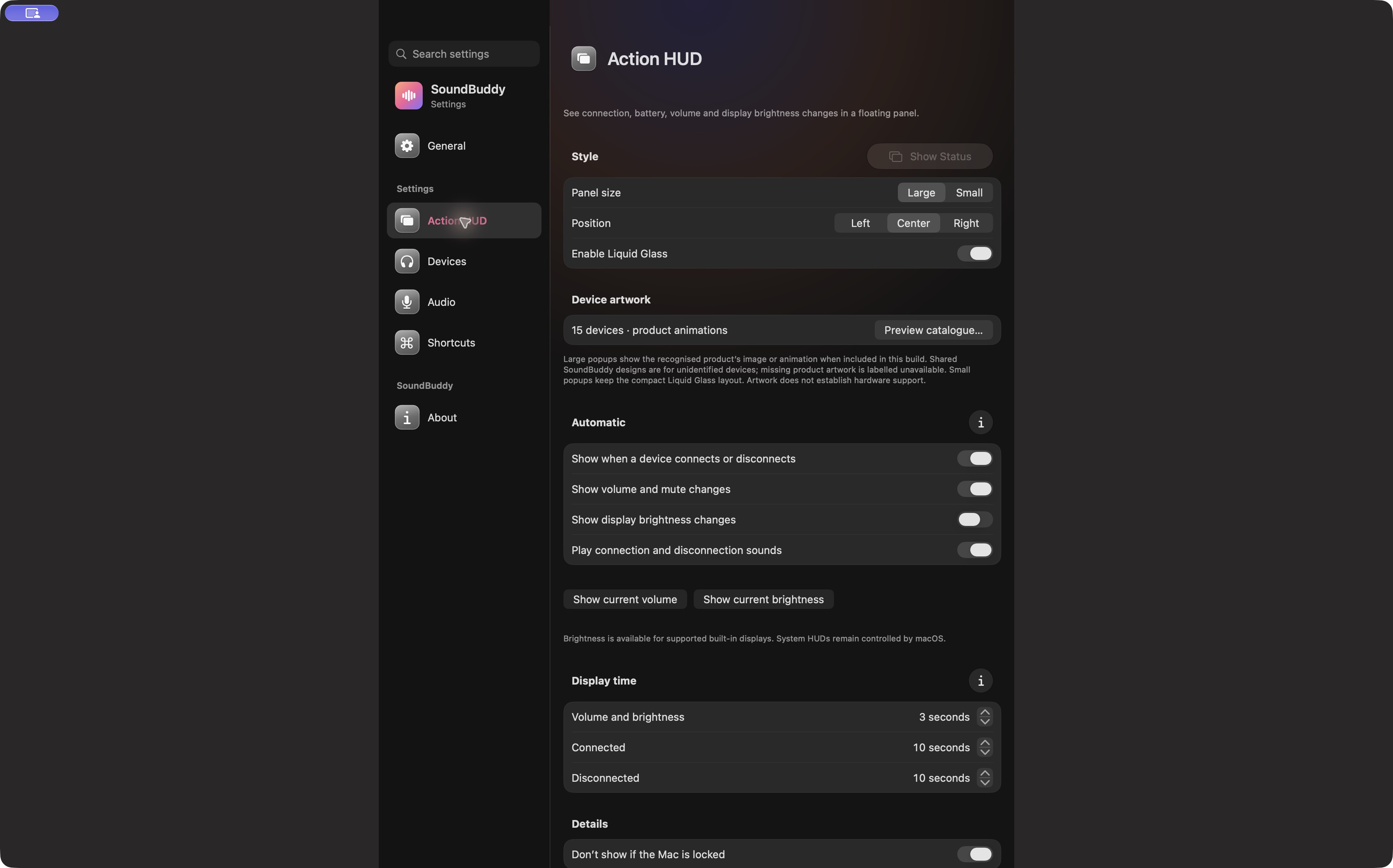
Use a SoundBuddy device illustration to recognise the type of accessory being shown. Check connection, microphone and battery behaviour separately. A familiar picture does not demonstrate that every function works with that model.
SoundBuddy is our product. Its Action HUD settings explicitly distinguish included product artwork, shared designs for unidentified devices and missing artwork. This matters when a screenshot looks convincing enough to imply more than it actually proves.
Identify what the picture represents
In the captured Action HUD settings, the app explains the artwork choices for large popups. The presence of a product catalogue describes bundled visual assets. It is not a list of devices that passed microphone, battery and reconnect testing.
For an unfamiliar model, a shared earbuds or headphones design gives the panel a recognisable shape. A model-specific picture can be included without establishing that a particular Mac exposes every battery component. A missing picture also tells you little about whether ordinary audio works.
| What you see | What it establishes | What to verify separately |
|---|---|---|
| Shared headphones design | A visual category | Exact model and available functions |
| Recognised product artwork | An included visual for that match | Connection, input and battery behaviour |
| Artwork unavailable label | No suitable visual in that context | Whether device controls still work |
| Actual app screenshot | What that captured screen displayed | Your current build and hardware outcome |
Make a feature-specific check
Start with the task you need. For listening, confirm that audio reaches the intended output. For calls, compare the system input and call-app selection. For battery information, check the exact component and whether a reading is actually present.
Use a small record with separate results: “audio heard”, “microphone selected”, “app audio test completed” and “battery reading available”. Mark anything you did not test as unknown. A single “works” label can hide the distinction that matters to your purchase.
The device-state guide explains why paired, connected and selected should remain separate. The headset fit check turns those distinctions into questions for your exact model.
Read demonstrations with their captions
A settings capture shows controls. A product-animation preview shows artwork. An actual connection popup shows a captured state at a particular time. None alone proves an uninterrupted call or universal model support.
Keep the capture date and state limits when sharing these images. Cropping away an unavailable label or describing a static picture as a successful hardware test would change its meaning. The image here remains an unedited native settings capture.
Next step: choose the one function you need, then ask for evidence about that function on your exact setup.