Find the source of a SoundBuddy sound before turning things off
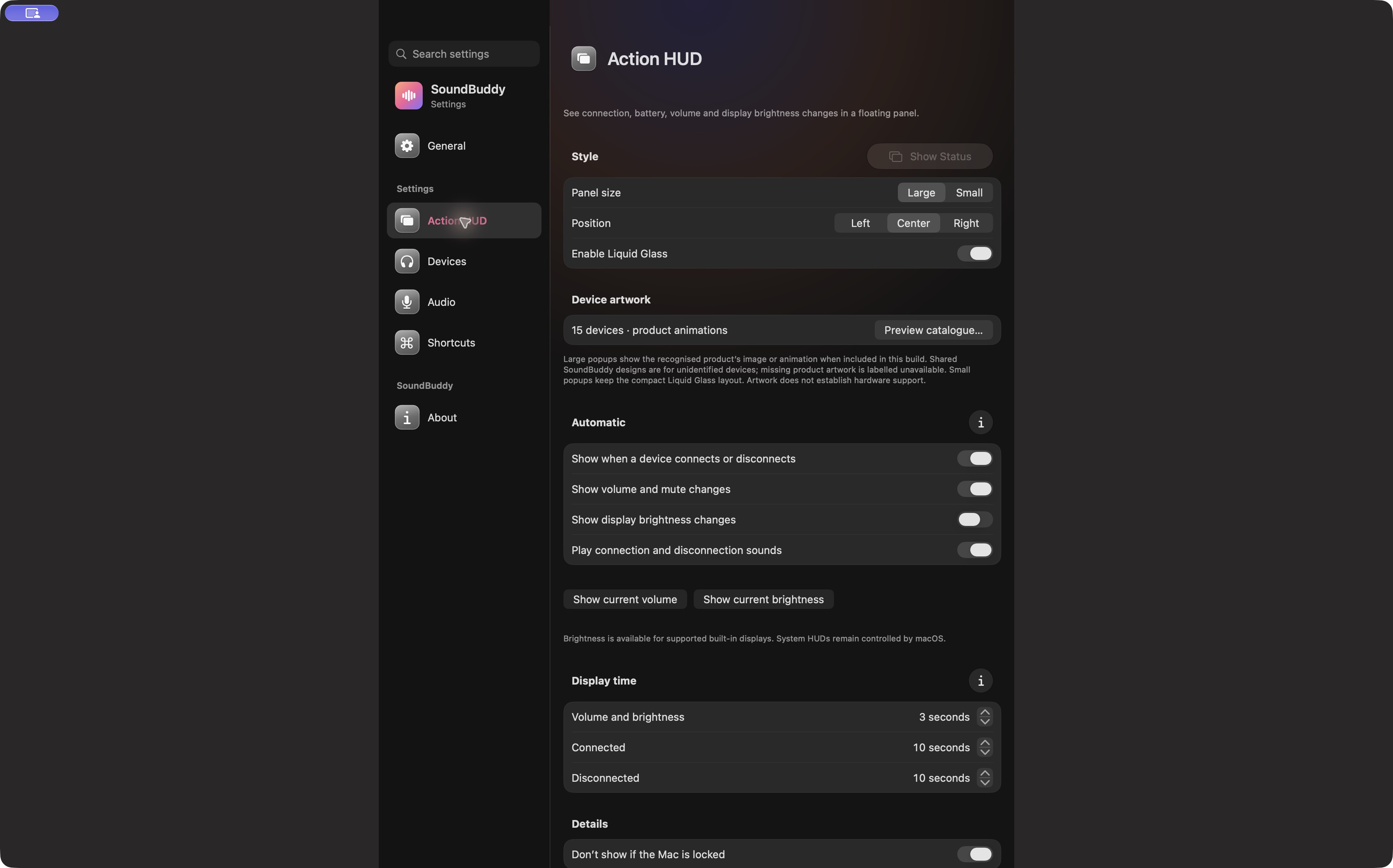
A sound when a device connects has a different trigger from a sound when you type. SoundBuddy also has a separate menu-opening sound preference. Identifying the trigger helps you change the control you intended without silencing an unrelated feature.
SoundBuddy is our product. These controls concern its own feedback; they do not promise to mute all Mac alerts, a headset's spoken announcement or another application's playback.
Match the trigger to the setting
| When you hear it | First SoundBuddy control to inspect | What that control does not establish |
|---|---|---|
| A device connects or disconnects | Action HUD: Play connection and disconnection sounds | Whether an accessory has its own announcement |
| You type or run a local preview | Audio > Keyboard Sounds | Whether a meeting app is muted |
| You open the menu | General: Play a sound when opening the menu | Whether connection feedback is enabled |
| A sound has no clear relation to these actions | Identify the source before changing more settings | That SoundBuddy produced it |
Look for an ordinary trigger you already observed. You do not need to deliberately disconnect working headphones during a call to classify a sound.
Make one change and check the result
If connection feedback is the issue, open Action HUD and inspect Play connection and disconnection sounds. If typing feedback is the issue, inspect Audio > Keyboard Sounds, including volume, manual pause and Auto Pause. If the sound occurs only when opening the menu, inspect its separate General preference.
Write down the original setting so you can restore it. Test only the relevant action in a quiet moment. If the sound persists after the relevant control is off, consider the accessory's own prompts, macOS notifications or another application before changing more SoundBuddy controls.
A paused preview can be intentional
Keyboard previews are subject to the app's pause conditions. A silent preview during microphone activity is different from a missing connection sound. The Auto Pause guide explains the optional condition and the manual-pause distinction.
If you have not completed global keyboard setup, use the preview and permission guide. A local sample and typing across apps are different tests.
Keep your test small
Record the trigger, app version, original setting, one change and the observed result. A long sequence of resets makes the result harder to interpret. If you cannot identify the source, stop and use the support-report template with those observations.
For broader notification choices, Apple documents Mac notification settings. SoundBuddy's floating HUD preferences and macOS notification permissions should be reviewed separately.
Next step: name the trigger first, then adjust only its matching control.