Music lowers when you speak? Inspect AirPods Conversation Awareness
If music dips just as you speak, record that timing before raising the Mac volume. On a supported AirPods setup, Conversation Awareness is one feature to inspect. A drop that happens only inside a call, or with that feature already off, needs a different investigation.
SoundBuddy is our product. Its microphone controls and an AirPods listening feature answer different questions. Choosing an input does not establish why media became quieter.
Describe the trigger before choosing a control
Write down whether you were listening to music, playing a podcast or participating in a call. Note the exact AirPods model, macOS version and whether the event followed your own speech, a different song or a device switch.
These differences give the next check a purpose:
- It follows your speech during ordinary listening: inspect the available Conversation Awareness state.
- It follows different songs: compare the player's song-normalization option.
- It starts when a call opens and sound stays different: inspect the Bluetooth microphone-mode boundary.
- You hear your own voice more prominently: use the self-voice and sidetone guide rather than assuming music volume changed.
A similar sensation can have a different trigger. Keep the trigger in the note instead of treating every automatic change as one setting.
Inspect the supported AirPods feature on Mac
Apple's Adaptive Audio guide describes Conversation Awareness lowering media when the wearer starts talking, then restoring volume and the previous listening mode after the conversation. It also distinguishes Personalized Volume, which adapts media level to environment and preferences, from Adaptive mode, which changes the balance of cancellation and transparency.
Those are separate controls. Changing all three at once makes it harder to identify the one that matters to your listening preference.
With supported AirPods worn and connected, Apple's Mac instructions place Conversation Awareness under Control Center > Sound > your AirPods. Inspect the control that is actually available. Feature availability depends on the model and software; a missing option is not proof of a SoundBuddy problem.
Apple also notes that these settings carry over when AirPods switch devices. Do not assume a choice made for this Mac will remain isolated from another device you use.
Make one deliberate listening comparison
Outside a call or recording, choose a familiar short passage and keep its player, output and comfortable starting volume unchanged.
- Record the current Conversation Awareness state, if your setup offers it.
- Listen to the passage and note whether the change coincides with your own speech.
- If the available control differs from the listening behaviour you want, choose the intended state and compare the same passage.
- Keep Personalized Volume and listening mode unchanged during this comparison.
- Retain your preferred state and record any unexplained volume change that remains.
This is an optional preference comparison, not an instruction to turn off every adaptive feature. Do not repeatedly raise the overall output to compensate for a temporary dip. Compare the behaviour first.
If the feature is already off, preserve that result
A public AirPods report describes media quieting while the author talks during a call, despite reporting Conversation Awareness and adaptive settings off. The post does not identify a Mac setup or establish a cause. It is a useful counterexample to the claim that every speech-linked change is repaired by one toggle.
If your result has the same boundary, keep it unresolved. Note the call app and its selected microphone and output, and whether the symptom occurs outside that app. Do not copy unrelated reset commands or change all AirPods preferences because a feature name sounds relevant.
Read SoundBuddy's microphone state separately
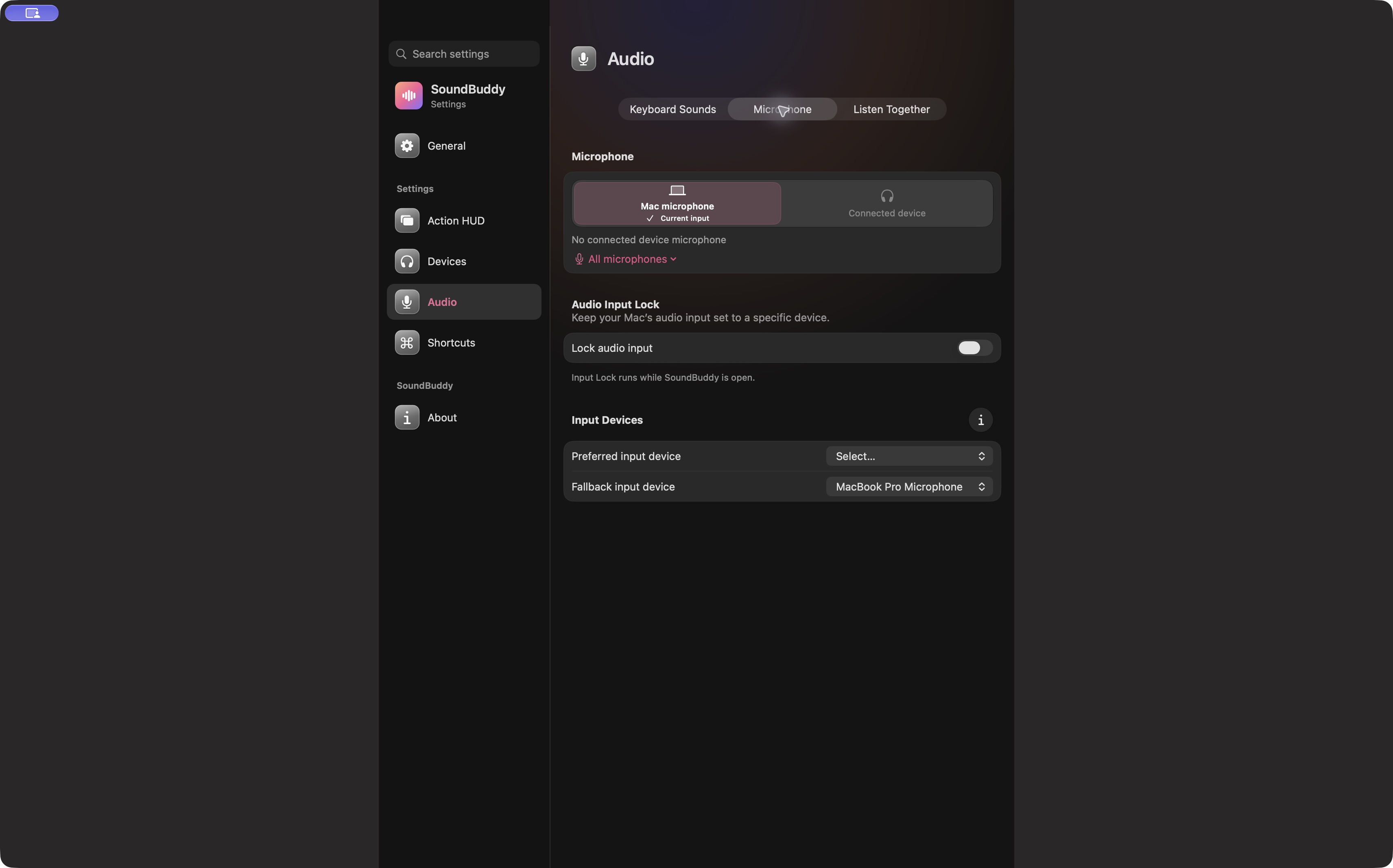
Open the full-size actual microphone capture
The preferred and fallback input guide covers SoundBuddy's input-selection role. Those controls do not disable AirPods listening features or prove that an individual call app uses the system input.
For a support note, retain four separate fields: trigger, available AirPods feature state, selected input/output and result outside a call. That is more useful than a single observation that the volume changed.
No AirPods playback or feature-setting test was performed for this article. Choosing a listening behaviour that fits your work is the intended outcome; no concentration or productivity gain has been measured.
Next step: inspect Conversation Awareness on a supported setup and compare one available preference while preserving the rest of your listening configuration.