Music keeps playing on your Mac? Separate the queue, Repeat and AutoPlay
If you wanted one song and heard several, first check what Music says will play next. A queue with existing tracks, a repeating selection and recommendations added after the queue are different explanations. A Bluetooth connection or microphone preference does not identify which one applies.
The useful question is specific: did an already listed song start, did the same selection return, or did a recommendation appear after your chosen material? Record that before changing several playback controls.
Inspect the upcoming list before changing it
Apple's Music queue guide for macOS Tahoe says Playing Next shows upcoming tracks. With a song playing, open that view and inspect the list. Apple documents Play Next for the beginning of the queue and Add to Queue for its end. AutoPlay requires an Apple Music subscription and adds similar songs after queued material. Turning AutoPlay off also affects other devices using the same Apple Account.
Choose the intended stopping point before removing anything. If the next unwanted track is already listed, disabling recommendations is a different action from removing that queued item. Note the list or take a private screenshot first. Keep account names, private listening history and other people's information out of anything you share.
Do not assume an unavailable control means your headphones failed. Record the Music version, the current view and whether a song was playing when you inspected it. Those details make a more useful support question than repeatedly reconnecting the output device.
Check Repeat separately
Apple's Repeat guide for the same macOS version distinguishes repeating the current selection from repeating one song. A number 1 identifies the single-song state. Its instructions cycle the Repeat control until grey to turn repeating off. A song must be playing to use the documented controls.
For a listening block, write down three observations:
- The next track already listed in the queue, if any.
- The Repeat state, including whether a 1 is shown.
- The AutoPlay state and whether you use the subscription feature.
That note is a starting point, not proof that an unexpected sequence has one particular cause. Labels and appearance can differ across Music and macOS versions. Follow the documentation version matching the Mac you are checking.
Avoid promising that one switch solves every report
In a public Mac discussion, a listener reports an unwanted upcoming list even though AutoPlay appears off. In the replies, the author confirms they are using a Mac. Suggestions about an older-software bug remain speculation.
That report establishes a question someone asked, not a reproduced defect or a reason to promise a universal fix. If the list still behaves unexpectedly after a careful inspection, preserve the actual sequence and software version. Do not erase your library or run an unverified reset shortcut to test this guide.
Keep SoundBuddy's role clear
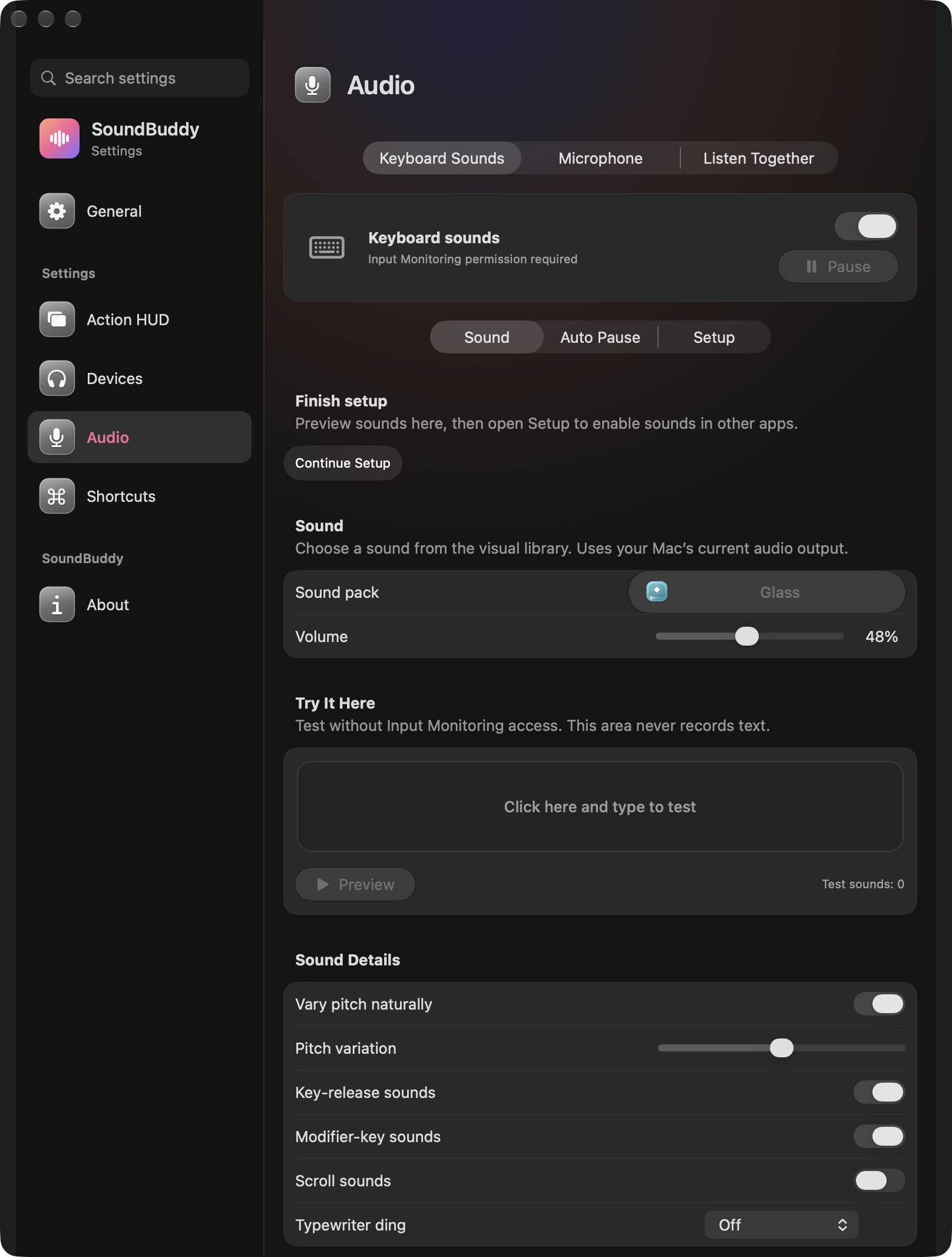
Open the full-size actual capture
SoundBuddy is our product. This image does not establish that it edits playlists, changes Repeat or controls AutoPlay. A useful audio ecosystem gives each control a clear owner. Music owns the playback choices discussed here; the capture documents a different app's feedback settings.
For levels changing between tracks, use the normalisation and output-volume guide. For playback stopping only when the Mac becomes idle, use the power and output guide.
This article uses public documentation and desk research. No Music, account or audio setting was changed for it, and no listening or productivity outcome was measured.
Next step: describe the unwanted next track and record queue, Repeat and AutoPlay separately before making one deliberate playback change.