Sony XM5 connected to two devices? Check which source still owns playback
Two Bluetooth connections do not, by themselves, tell you which source the headset is playing. If a Sony WH-1000XM5 remains audible from a phone while you expect the Mac, first inspect what the first device is still doing.
This is a model-specific guide. Do not assume the same policy applies to every Sony headset, every multipoint accessory or Apple's automatic-switching system.
Use the model's playback policy
Sony's WH-1000XM5 multipoint guide documents a two-device setting in its companion app. For switching music, it says to stop playback on the first device and start it on the other. A third connection can also displace one of the existing connections according to the documented policy.
Sony's separate no-sound guide notes that some connected devices can keep sending a silent signal after playback stops. Its suggested sequence includes stopping and then closing the first device's playback app. Consult the manufacturer's current instructions for your installed companion-app version; the linked guide uses the older Headphones Connect name.
Inspect the two sources before resetting anything
For a non-critical listening session:
- Name both connected devices and the source you want to hear.
- Inspect the actual player state on the first source, including other apps that may be producing audio.
- Follow the model's documented stop-first, start-second comparison if appropriate.
- Confirm the Mac's selected output separately and record where sound is actually audible.
- If the change does not work, preserve the model, firmware, connected-device and player-state details for a targeted support question.
Do not treat a connection label as proof that the second source has taken over. Avoid factory resets or deleting pairings simply to test a source-ownership question. This article does not establish your particular failure's cause.
A Mac input preference is another control
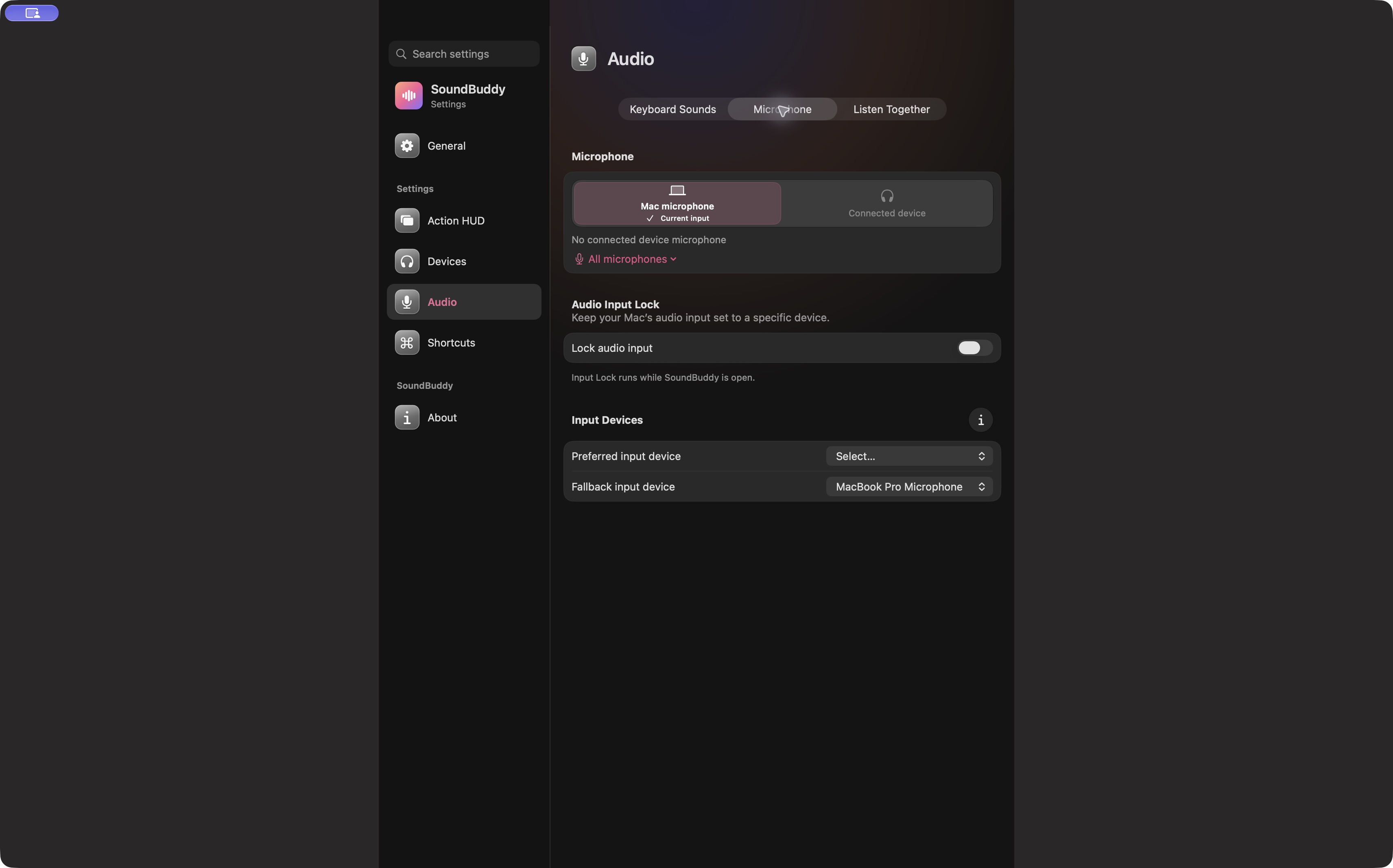
Open the full-size actual microphone-settings capture
SoundBuddy is our product. Its Mac input preferences do not establish control over a headset's second connection, source policy or phone playback. This capture does not prove SoundBuddy support for the XM5.
For the Mac's paired, connected and selected states, see the selection guide. Keep that local-output question separate from the headset's manufacturer-defined multipoint behaviour.
No headset, phone, companion app, Mac setting or playback operation was performed for this article. No switching or productivity result is claimed.
Next step: identify both sources and inspect the first player's state before assuming the second connection owns the sound.