A private Spotify session changes listening visibility, not your Mac microphone
If you want a listening session kept out of Spotify's social activity, inspect Spotify's own privacy controls. That is a different question from where the music is audible or whether a Mac app can access a microphone.
A setting with “private” in its name needs a clear scope. Record which service owns it, what it changes and when it ends before relying on it for a listening routine.
Check the temporary session and its duration
Spotify's Private Session guide says the session hides current listening from Friends Activity and stops recently played artists updating on the profile while active. It is account-level across devices and ends after six hours or an app restart. The documented desktop entry is in the profile menu.
Those are specific service behaviours. They are not a promise of complete anonymity, deletion of earlier activity, a muted speaker or a changed microphone permission. Inspect the active state again after restarting the app rather than assuming it is permanent.
Spotify's social-controls guide separately lists desktop Social settings for sharing listening activity and showing recently played artists. Those continuing preferences are different from a temporary override.
Write down the visibility you intend
For your own adult listening account:
- Decide whether you want a temporary session or an ongoing social-sharing preference.
- Inspect the relevant setting in the current desktop app.
- Note the session's active state and ending conditions if you choose it.
- Keep playback destination separate, especially if a speaker or another device is involved.
- Before showing a screenshot publicly, remove account identifiers and private listening details from the material you choose to share.
Do not use a social-setting screenshot as proof that all account data has been deleted or that another person's device cannot hear playback. Each of those questions needs its own evidence.
Microphone choice is another kind of control
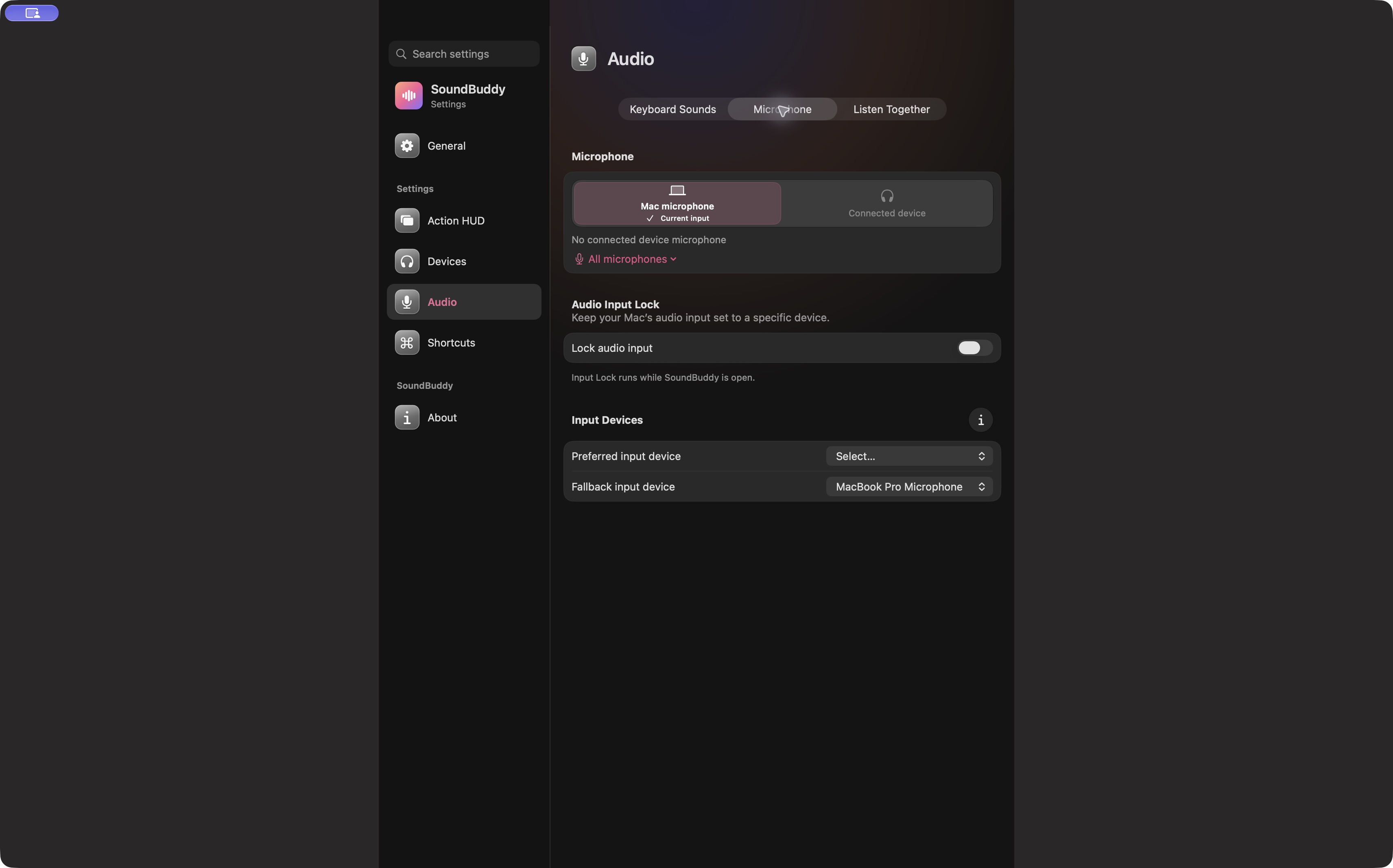
Open the full-size actual microphone-settings capture
SoundBuddy is our product. Its microphone preferences do not establish control over Spotify account activity, recommendation history or public-profile settings. For the distinction between permission, activity and recording, see the microphone evidence guide.
No Spotify account, social preference, audio, microphone or native setting was operated for this article. No privacy test or productivity result is claimed.
Next step: identify the visibility setting you intend to rely on and its duration, keeping it separate from output and microphone controls.