Want Podcasts to stop without putting your Mac to sleep? Check the player timer
A podcast timer and the Mac's sleep policy are separate controls. If you want an episode to stop at a chosen point while the computer remains available for another task, start in the player. If playback stops unexpectedly when the whole Mac becomes idle, investigate that separately.
Choose a stopping point in Podcasts
Apple's Mac Podcasts listening guide for Tahoe documents a Sleep Timer button with preset intervals and a “When episode ends” choice. The same player has separate pause, output and volume controls. Pick the intended boundary rather than assuming lowering volume pauses an episode or putting the computer to sleep is necessary.
Before using a timer, note the current episode and playback position. Decide whether you want to stop after a duration or at that episode's end. Check the timer selection in the app you are actually using. Do not transfer an iPhone setting path or another podcast app's timer behaviour onto the Mac.
For a small reader-led check:
- Choose a non-critical listening session and note the current position.
- Inspect the player's timer and choose the boundary you intend.
- When it is reached, distinguish an actual paused player from silent output, a disconnected speaker or a sleeping Mac.
- Before your next session, inspect the current timer state again rather than assuming how it persists.
This is an observation method, not a reproduced test or a promise about every app version.
Keep automation scope explicit
In a public Mac timer-app discussion, a maker distinguishes fading volume, pausing a supported player and putting the computer to sleep. Those are self-reported capabilities of another product, not our test results or a recommendation to install it.
The distinction is useful even without another tool. A muted output may leave an episode progressing. A player timer belongs to that player. Whole-computer sleep affects more than the listening session. For Podcasts' separate continuing-playback choices, consult Apple's Mac settings guide matching your operating system.
SoundBuddy feedback is not a player timer
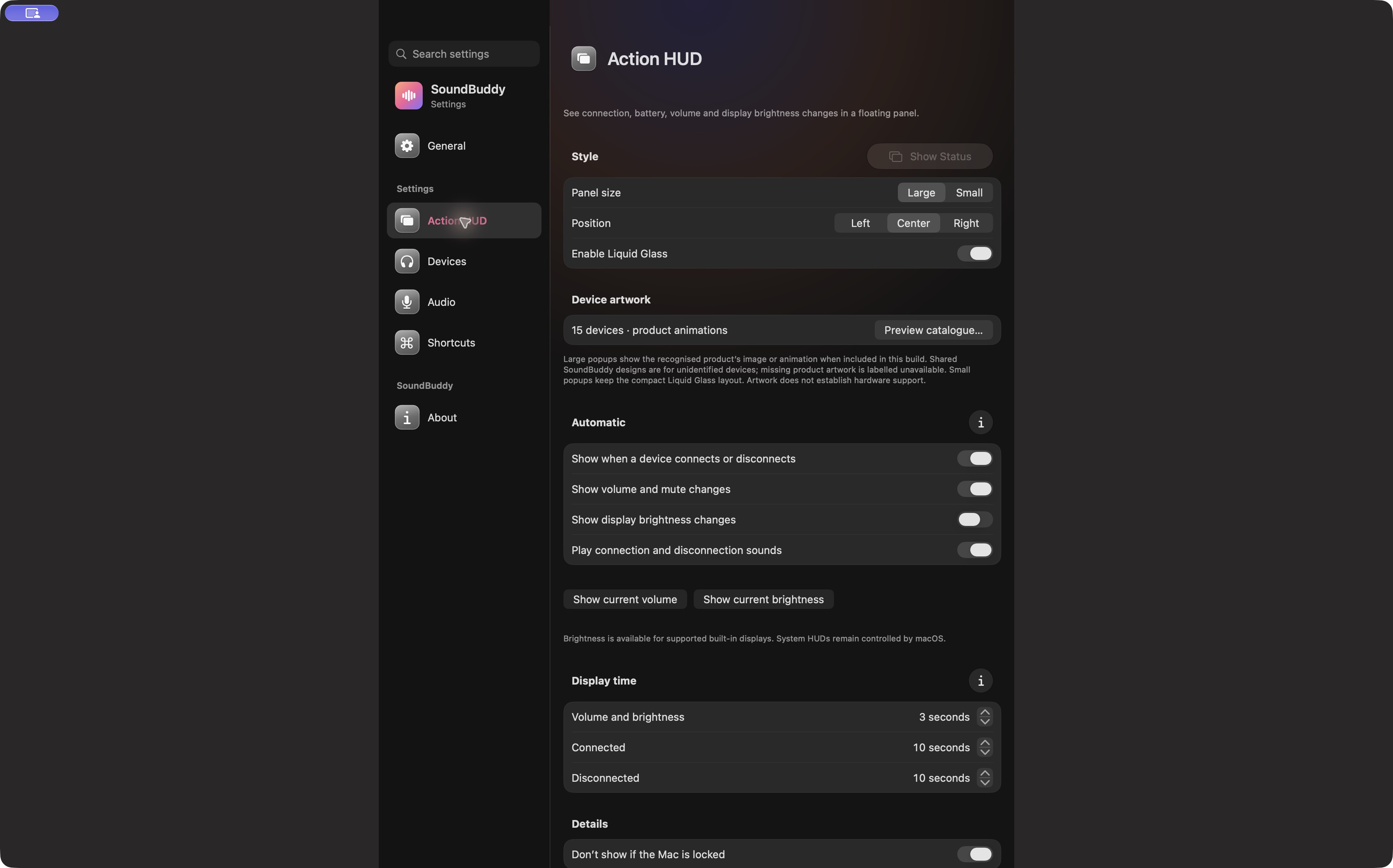
Open the full-size actual app capture
SoundBuddy is our product. Do not read a popup's three- or ten-second display duration as a listening countdown. Keeping feedback timing and playback timing distinct makes the desk setup easier to describe.
If the whole Mac becomes idle before sound stops, the power and output guide addresses that different investigation. For speech that feels too fast, use the podcast playback-speed guide.
No timer, playback, sleep or volume operation was performed for this article. No sleep, health or productivity result is claimed.
Next step: choose whether you want to pause an episode or sleep the computer, then inspect the control that owns that action.