A Lossless label in Music is not a complete record of your Mac listening path
A format label and the connection carrying sound to your headphones answer different questions. Before changing anything, record the source, the selected Mac output and how the headphones are connected. A label alone does not document that whole path.
This matters when you move between Bluetooth, a cable and a dock. The device name may look familiar while the connection you are actually using differs. Keep the question about the path precise before deciding whether a particular format setting is useful for your session.
Start with the documented Mac requirements
Apple's lossless audio support article lists wired headphones, receivers, powered speakers and built-in speakers in its Mac section. It distinguishes Mac-specific sample-rate capabilities and when an external converter is needed. Its headphone section says the Bluetooth connections it describes are not lossless, while supported AirPods Max models have a separately documented USB connection option.
The same article says lossless streaming uses more data and downloaded files use more storage. These are practical trade-offs, not a requirement to buy different equipment. Check the exact Mac and headphone model against the current documentation before choosing a path. Do not assume every cable carries digital audio or that a charging cable changes the active audio route.
This guide does not generalise Apple's documented path into a claim about every third-party wireless codec or transmitter. Model-specific claims need model-specific evidence.
Write a path note rather than a quality verdict
A useful note can be short:
- The source app and the format setting or label you inspected.
- The exact headphone model and Mac output name.
- Whether the audio connection is Bluetooth, USB, analogue or another documented path.
- Any dock or converter actually in that path.
- The question still unverified, such as the active connection or a particular model's support.
A device being paired does not show which route carried the sound you heard. Plugging a cable into a device also needs an actual output-selection check. If you do compare two paths yourself, preserve the source and listening level and change one thing at a time. A subjective preference is useful to you, but it is not a bit-accuracy measurement.
Treat public badge questions as questions
A public Apple Music discussion asks about a quality label while using Sony headphones and reports a different label experience with an Alexa speaker and a MacBook. Replies include conflicting codec and equipment advice.
That thread demonstrates why a complete path note is more useful than a badge screenshot alone. It does not verify the author's hardware chain, prove an audible difference, or justify copying a stranger's purchase recommendation. The technical requirements above come from Apple's documentation.
What the actual SoundBuddy screenshot establishes
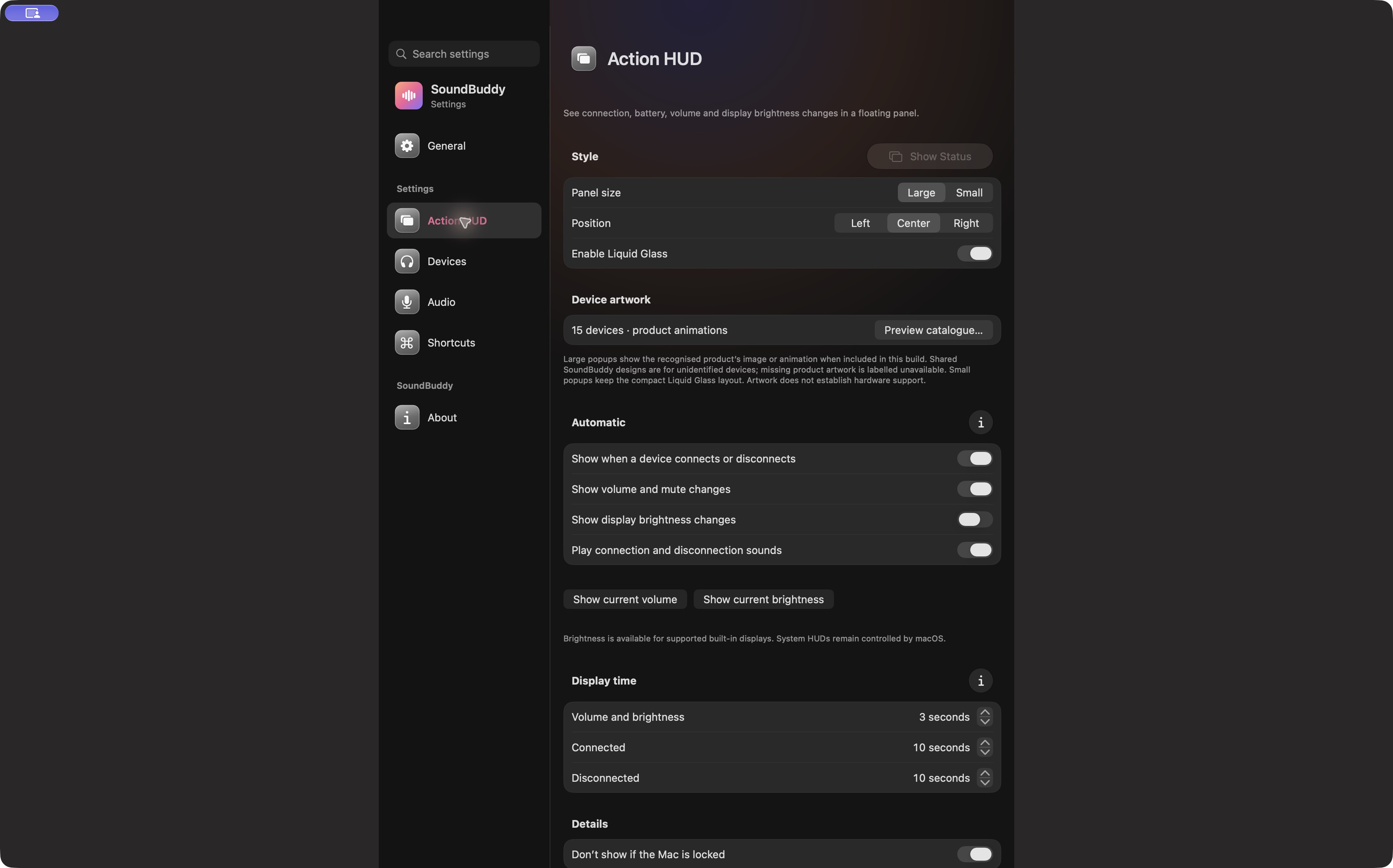
Open the full-size actual HUD-settings capture
SoundBuddy is our product. A status panel can be part of a readable desk routine, but this image does not establish the format reaching a particular headphone. Do not treat artwork, battery reporting or a volume-change display as certification of an audio transport.
For a device that is paired but not the intended output, use the paired, connected and selected guide. For a player taking sole control of a converter, use the exclusive-output guide.
No codec, headphone, cable or playback test was performed for this article. This is public desk research, with no sound-quality or productivity result measured.
Next step: keep the source label and the actual listening connection as two separate entries in your setup note.