A Voice Memo on another Apple device is not the same as a shared file
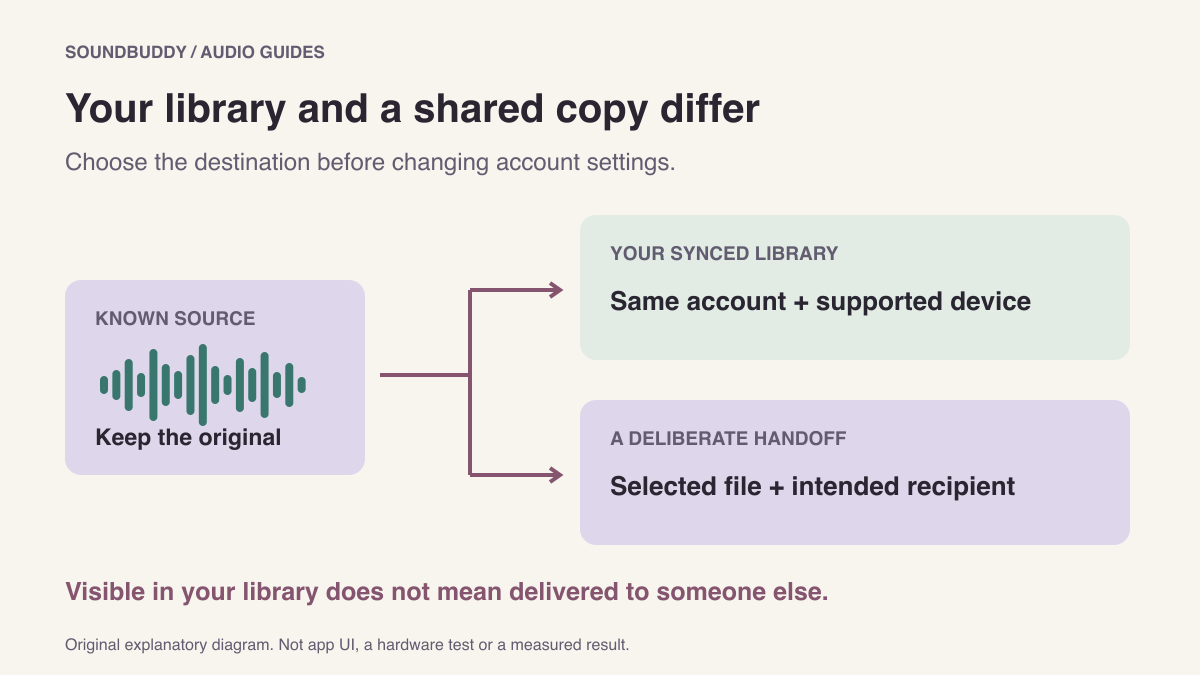
If a recording appears on your Mac after you made it on an iPhone, distinguish your synced library from a copy you send to someone. They serve different purposes, and finding one does not establish that the other has been delivered.
Start with a simple question: do you want the recording available on your own devices, or do you want another person to receive a specific file?
Choose the intended destination
Apple's Voice Memos iCloud guide describes recordings appearing across supported Apple devices using the same Apple Account when the relevant iCloud setting is enabled. It separately directs users to sharing when the destination uses another account.
That distinction is more useful than repeatedly recording the same note. A missing library item and a missing message attachment are different support questions.
| Intention | Check | Evidence to retain |
|---|---|---|
| See your recording on your Mac | Account and Voice Memos iCloud setup | Which device has the source and which library is missing it |
| Give someone a playable copy | Share or save the selected recording | The exact file and intended destination |
| Keep a local working copy | Save a copy to a chosen Finder folder | Its name, location and playback result |
The diagram shows separate destinations. It is not an account screen or a claim that a particular recording has synced.
Inspect your library without disrupting the account
Confirm which device holds the original recording. Note its name and approximate creation time. Then inspect the account and Voice Memos iCloud settings described in Apple's guide for your software version.
Do not sign out, delete the source or repeatedly change sync settings just to make a quick comparison. Preserve the known recording while you work out which state is missing. If the setup appears correct but the item remains absent, retain the device versions and exact observation for support.
Apple also documents recording-type and software-version limits. In particular, some layered recordings created on supported iPhones have Mac version requirements. A recording visible on one device does not prove every other device can display that recording type. Check that case before describing it as ordinary sync failure.
Make a deliberate handoff
Apple's Mac sharing guide describes selecting a recording and using Share, or dragging it to Finder to save a file. Choose the intended recording and give a saved copy a recognisable name.
Play the copy you plan to send. Check its beginning and end and listen for private material that should not be included. Then use the destination you intend. Seeing the recording in your own library is not a delivery receipt from another person.
For important handoffs, distinguish “file prepared,” “sent” and “recipient confirmed it plays.” Keep those as separate observations. This is a practical handoff checklist, not a promise about any messaging service or cloud provider.
Preserve a source you can recognise
When multiple copies exist, use names that distinguish the original from an edited handoff. A label such as “practice intro, original” and “practice intro, trimmed copy” is easier to inspect than several indistinguishable recordings.
If you need to understand why a saved note sounds different, use the Voice Memos playback-options guide. If you are about to make a new capture, the microphone permission and selection guide covers a separate setup question.
For a shorter handoff, use the Voice Memos editing guide to preserve an original before trimming a copy.
Next step: write down the device holding the source and the destination you actually need. Follow the sync or sharing workflow that matches that goal.